 Μake us preferred on Google
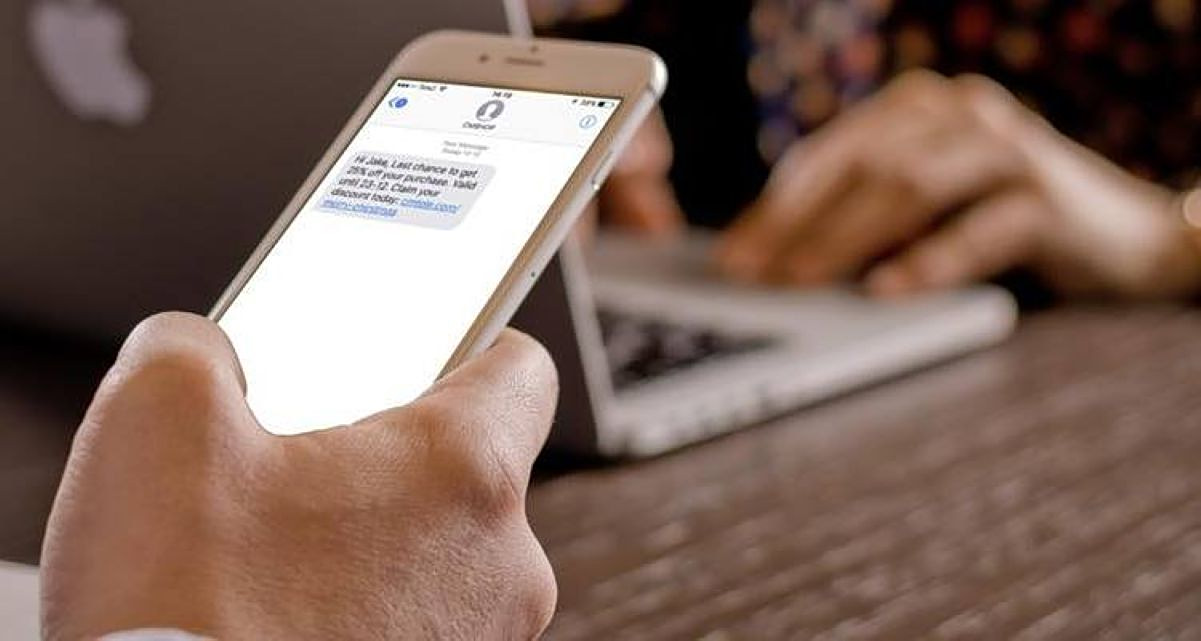
 A message suddenly appears on your phone: “Your package could not be delivered.” “An unpaid fine is pending.” “Your bank account has been temporarily restricted.”
Instinctively—or out of curiosity—you reply, “Who is this?”
Seconds later, a worrying question arises: can someone hack your phone simply because you responded to a text message?
In the overwhelming majority of ordinary SMS scams, the answer is no. Sending a simple text reply does not, by itself, give criminals access to your photos, files, passwords, banking apps, or online banking account.
That said, replying is not entirely harmless. It can become the first step in a much more organized fraud attempt.
What scammers learn when you reply
A brief response such as “Who is this?” tells scammers something valuable: the phone number is active and monitored by a real person.
The U.S. Federal Trade Commission (FTC) has specifically warned about so-called “wrong number” texts that appear to have been sent by mistake. Even a short reply confirms that someone is behind the number, increasing the likelihood of follow-up texts, phone calls, or more targeted scams.
The safest rule is simple: do not reply to unexpected messages from unknown senders.
Where the real danger begins
The real risk usually comes after the first message, when scammers try to persuade you to take another step.
A fraudulent text may urge you to:
• click a link
• log into a fake bank or government website
• enter your username and password
• provide debit or credit card details
• reveal a PIN or one-time password (OTP)
• call a phone number
• install an app or file
This tactic is known as smishing—a combination of SMS and phishing.
According to Europol, smishing involves criminals posing as banks, courier companies, government agencies, or other trusted organizations while creating a false sense of urgency to pressure victims into acting without thinking.
I replied, but I didn’t click anything. What should I do?
If you only sent a simple response—such as “yes,” “no,” or “Who is this?”—and did not click a link, download a file, install an app, or share personal or financial information, there is usually no reason to panic.
You generally do not need to cancel your bank card or change all your passwords solely because you replied.
Instead, take four simple steps:
• stop the conversation immediately
• block the number
• mark the message as spam or junk
• remain especially cautious about future texts or calls from unknown numbers
I clicked the link but didn’t enter any information
This situation requires more caution.
A malicious link may simply lead to a fake website designed to steal your credentials. In some cases, however, it may also attempt to download malicious software or exploit vulnerabilities on your device.
Close the page immediately, avoid downloading anything, check whether any unfamiliar apps have been installed, and make sure your phone’s operating system and security software are fully up to date.
If you installed an unknown app, the risk increases significantly and your device should be checked without delay.
I entered my banking password, card details, or OTP
Act immediately.
Contact your bank using only its official phone number or app—not the contact details included in the suspicious message. Depending on what information was exposed, ask the bank to block your card or account and change any compromised passwords immediately.
If you use the same password for other services, change it there as well.
One-time passwords deserve special attention: never share an OTP with anyone, even if the person claims to be a bank employee.
How to recognize a suspicious text
The stories change, but the formula remains remarkably consistent.
Scammers typically try to trigger fear, urgency, excitement about a reward, or simple curiosity.
Greece’s National Cybersecurity Authority has issued multiple warnings throughout 2026 about fraudulent texts posing as traffic violation notices or government benefit notifications in attempts to steal personal and banking information.
Urgency is often the scammer’s strongest weapon.
What if the message shows my bank’s or company’s name?
That is not proof the message is genuine.
Criminals can imitate logos, brand names, and the language used by legitimate organizations. Even the sender name displayed in a text should not be treated as a guarantee of authenticity.
If a message claims there is a problem with your bank account, courier delivery, or a government service, do not use the link or phone number provided in the text.
Instead, open the official app yourself, type the company’s known web address manually, or find the official phone number independently.
Can someone hack your phone without you clicking anything?
Technically, yes.
So-called zero-click attacks can exploit software vulnerabilities without requiring the user to open a link. However, these attacks are not the typical method behind mass scam texts claiming your package was not delivered or that you owe a fine.
Zero-click attacks are generally far more sophisticated, expensive, and highly targeted.
Keeping your phone’s operating system and apps updated as soon as security patches become available remains one of the best defenses.
The safest rule
Treat any unexpected message requesting money, passwords, personal information, or immediate action as suspicious until proven otherwise.
You do not need to determine whether a text is fake. You simply need to verify its claims through a separate, trusted channel.
If the message says there is a problem with your bank card, open your banking app directly. If it claims there is an issue with a delivery, visit the courier’s official website yourself. If it concerns a government service, start from gov.gr or the relevant authority’s official website.
The 10-second rule
Before replying, clicking, or paying, pause for a few seconds and ask yourself three questions:
• Was I expecting this message?
• Why is it pressuring me to act immediately?
• Can I verify this claim without using the link or phone number provided?
Those few seconds may be the most effective form of “antivirus protection”—not against your phone’s software, but against the social engineering tactics designed to manipulate the person holding it.